When you leave home for work or finally settle into bed at night, there’s always that lingering thought in the back of your mind: “Is everything safe?” That simple concern is exactly why the demand for the best home security cameras has exploded over the last few years.
Modern security cameras do far more than record grainy footage. Today’s systems use AI-powered motion detection, crystal-clear 4K video, cloud storage, two-way audio, and even facial recognition to help homeowners feel more secure and connected. In reality, the right camera can stop package theft, deter intruders, monitor pets, and even help you check on elderly family members while you’re away.
The challenge, however, is choosing the right option. Some cameras are built for harsh outdoor weather, while others excel at indoor monitoring or smart home integration. Prices vary wildly, subscription fees can be confusing, and not every feature is truly useful in day-to-day life.
This guide breaks everything down in plain English. Whether you want a simple budget camera or a complete smart home surveillance system, you’ll discover what actually matters, what to avoid, and which models are worth your money.
Why Home Security Cameras Matter
Home security is no longer something reserved for luxury homes or large estates. According to industry reports, package theft and property-related crimes continue to affect millions of households each year. Even neighborhoods considered “safe” aren’t immune.
Security cameras provide more than evidence after a crime happens. They create deterrence. Criminals are significantly less likely to target homes with visible surveillance systems because cameras increase the risk of identification.
For families, cameras also offer emotional reassurance. Parents can monitor children arriving home from school. Pet owners can check in on anxious dogs during the day. Travelers can see what’s happening around their property in real time.
That emotional comfort matters more than most people realize.
The Shift Toward Smart Surveillance
Traditional CCTV systems once required complicated wiring, bulky storage systems, and professional installation. Today, wireless cameras connect directly to WiFi and stream footage through mobile apps.
Many of the best home security cameras now include:
- AI motion detection
- Person and package recognition
- Color night vision
- Voice assistant integration
- Smart alerts
- Cloud and local storage options
- Activity zones
These upgrades have transformed home monitoring from passive recording into intelligent protection.
What to Look for in the Best Home Security Cameras
Not every camera deserves your attention. Marketing often focuses on flashy features while ignoring real-world usability.
Here’s what actually matters.
Video Resolution
Resolution determines image clarity. Lower-quality footage can make faces and license plates impossible to identify.
- 1080p: Good for most homeowners
- 2K: Sharper details and improved zoom
- 4K: Exceptional clarity, especially outdoors
However, higher resolution also means larger file sizes and potentially higher cloud storage costs.
Night Vision Performance
A camera is only useful if it works after sunset. Infrared night vision is common, but premium models now offer full-color night vision using spotlight technology.
That difference can be dramatic.
A blurry black-and-white image may not help identify someone walking across your driveway at 2 a.m., while color night vision can reveal clothing details, vehicle colors, and facial features.
Motion Detection Accuracy
Poor motion detection is one of the fastest ways to regret buying a camera.
Cheap systems often send endless alerts triggered by leaves, rain, insects, or passing headlights. Better cameras use AI to distinguish between:
- Humans
- Animals
- Vehicles
- Packages
This drastically reduces notification fatigue.
Storage Options
Most cameras offer two storage methods:
Cloud Storage
Pros:
- Accessible from anywhere
- Footage remains safe if camera is stolen
- Automatic backups
Cons:
- Monthly fees
- Privacy concerns for some users
Local Storage
Pros:
- No monthly subscription
- Greater privacy control
- One-time cost
Cons:
- Storage limitations
- Footage can be lost if hardware is damaged
Smart Home Compatibility
If you already use Alexa, Google Home, or Apple HomeKit, compatibility matters.
The best ecosystems allow you to:
- View live feeds on smart displays
- Use voice commands
- Automate lights and alarms
- Trigger routines based on motion detection
Weather Resistance
Outdoor cameras should have at least an IP65 weather-resistance rating.
This ensures protection against:
- Rain
- Dust
- Heat
- Snow
- Humidity
In harsh climates, durability becomes just as important as video quality.
Types of Home Security Cameras
Different homes require different camera setups.
Indoor Cameras
Indoor cameras are ideal for monitoring:
- Children
- Pets
- Elderly relatives
- Entry points
They’re typically smaller, more affordable, and easier to install.
Outdoor Cameras
Outdoor cameras prioritize durability and wider coverage. Many include:
- Floodlights
- Sirens
- Motion tracking
- Extended night vision
Video Doorbell Cameras
Doorbell cameras have become incredibly popular because they combine convenience with security.
You can:
- Speak with visitors remotely
- Monitor deliveries
- Detect porch pirates
- Record front-door activity
Wireless Cameras
Wireless cameras simplify installation and reduce cable clutter.
Battery-powered models are especially attractive for renters or homeowners who want flexibility.
Wired Security Cameras
Wired systems remain popular for larger properties because they offer:
- Stable connections
- Continuous power
- Reliable recording
- Better scalability
However, installation can be more complex.
Best Home Security Cameras for Different Needs
Choosing the right camera depends heavily on your lifestyle, budget, and property layout.
Best for Overall Performance
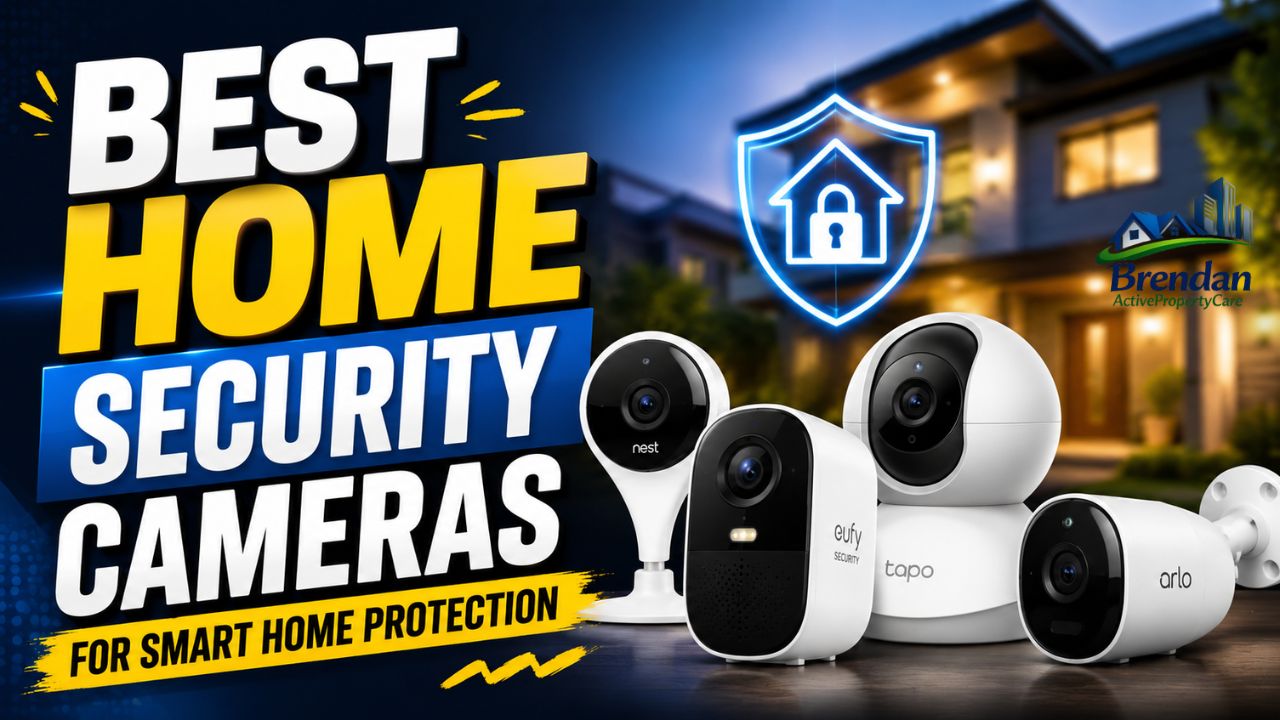
Many homeowners gravitate toward premium brands like Arlo, Google Nest, and Ring because they consistently balance video quality, reliability, and smart features.
The strongest all-around systems usually include:
- 2K or 4K resolution
- AI detection
- Strong app support
- Fast alerts
- Reliable cloud storage
These cameras may cost more upfront, but the experience is typically smoother and less frustrating.
Best Budget-Friendly Option
Budget cameras have improved dramatically.
Affordable brands like Wyze and TP-Link now offer surprisingly strong performance for under $100. While you may sacrifice premium materials or advanced AI features, many still provide excellent 1080p video and dependable motion alerts.
For apartments or small homes, budget cameras often deliver enough protection without unnecessary extras.
Best Outdoor Security Camera
Outdoor monitoring requires:
- Strong weather resistance
- Wide viewing angles
- Reliable night vision
- Durable construction
Floodlight cameras are particularly effective because they combine lighting with surveillance. Bright lights can instantly discourage suspicious activity.
Best Indoor Camera for Families
Families usually prioritize privacy and ease of use.
The ideal indoor camera should include:
- Privacy shutters
- Clear two-way audio
- Smart motion zones
- Fast mobile notifications
Many parents also appreciate lullaby features or temperature monitoring in nursery cameras.
Best Camera for Smart Homes
If your home already includes smart devices, integration matters.
Google Nest cameras work naturally with Google Home ecosystems, while Ring products integrate tightly with Alexa.
Apple users, meanwhile, often prefer HomeKit-compatible systems for stronger privacy controls.
Best Camera for Rural Properties
Large rural properties face unique challenges.
Long driveways, weak WiFi signals, and larger outdoor areas require:
- Long-range wireless connectivity
- Solar charging
- Enhanced motion tracking
- Cellular backup options
In these situations, investing in a more advanced setup pays off quickly.
Smart Features That Make a Difference
Some features sound impressive in advertisements but rarely improve real-world security.
Others genuinely change the experience.
AI-Powered Detection
Artificial intelligence has transformed modern surveillance.
Instead of reacting to every movement, advanced systems recognize patterns and prioritize meaningful alerts.
For example, your camera might:
- Ignore tree branches moving in wind
- Notify you only when a person appears
- Recognize familiar faces
- Distinguish delivery vehicles from strangers
This creates a far more useful experience.
Activity Zones
Activity zones let you define areas the camera should monitor.
For example:
- Ignore the busy street outside
- Focus only on your driveway
- Monitor a side gate
- Exclude neighbor properties
That small feature dramatically improves alert accuracy.
Two-Way Audio
Two-way audio isn’t just convenient.
It can actively prevent suspicious activity.
Homeowners often use it to:
- Warn trespassers
- Speak with delivery drivers
- Calm pets
- Communicate with children
Hearing a human voice through a camera speaker can instantly make intruders uncomfortable.
Emergency Response Features
Some advanced systems now offer professional monitoring services.
If suspicious activity occurs, monitoring centers can:
- Contact emergency responders
- Trigger alarms
- Verify threats using live footage
While subscriptions add ongoing costs, many homeowners value the added peace of mind.
Installation Tips for Better Coverage
Even the best camera becomes ineffective when installed poorly.
Position Cameras Strategically
Focus on vulnerable entry points:
- Front doors
- Back doors
- Garages
- Ground-floor windows
- Side gates
Avoid placing cameras too high. While elevated placement prevents tampering, extremely high angles often reduce facial visibility.
Reduce Glare and Backlighting
Sun glare can ruin footage quality.
Whenever possible:
- Avoid direct sunlight angles
- Use shaded mounting areas
- Test night footage before final installation
Secure Your WiFi Network
Weak cybersecurity creates major risks.
Protect your system by:
- Using strong passwords
- Enabling two-factor authentication
- Updating firmware regularly
- Separating smart devices onto guest networks
Cybercriminals increasingly target poorly protected smart devices.
Test Notifications
A camera that records silently without notifying you loses much of its value.
Always test:
- Motion alerts
- App responsiveness
- Live streaming speed
- Audio clarity
Common Mistakes Homeowners Make
Buying security cameras is easy.
Building an effective security strategy is harder.
Choosing Price Over Reliability
Extremely cheap cameras often fail in the exact moments you need them most.
Poor apps, unstable connections, and unreliable motion alerts quickly become frustrating.
Ignoring Subscription Costs
Many buyers focus only on upfront pricing.
However, cloud storage subscriptions can add significant long-term expenses.
Always calculate the total ownership cost before purchasing.
Overlooking Internet Speed
High-resolution cameras require strong upload speeds.
If your internet connection struggles, live streaming and cloud uploads may become unreliable.
Using Too Few Cameras
One camera rarely covers an entire property effectively.
Blind spots create vulnerabilities that intruders can exploit.
A layered approach works best.
Privacy and Cybersecurity Concerns
Security cameras improve safety, but they also introduce privacy considerations.
That balance matters.
Data Collection Risks
Some manufacturers collect large amounts of user data.
This may include:
- Voice recordings
- Facial recognition data
- Behavioral patterns
- Device usage analytics
Reading privacy policies isn’t exciting, but it’s important.
Protecting Your Footage
The safest systems prioritize encryption and user control.
Look for:
- End-to-end encryption
- Local storage options
- Strong authentication methods
- Transparent privacy practices
Respecting Neighbor Privacy
Outdoor cameras should never invade neighboring properties.
Responsible placement reduces legal and ethical concerns while maintaining trust within communities.
Cost Breakdown and Long-Term Value
The price range for the best home security cameras can vary dramatically.
Typical Costs
| Camera Type | Estimated Price Range |
|---|---|
| Budget Indoor Cameras | $25–$80 |
| Mid-Range Outdoor Cameras | $80–$250 |
| Premium 4K Systems | $250–$600+ |
| Professional Monitoring Plans | $10–$40/month |
Are Premium Cameras Worth It?
In many cases, yes.
Premium systems usually provide:
- Faster notifications
- Better video quality
- Longer device lifespan
- Improved cybersecurity
- More reliable apps
That said, not every household needs enterprise-level protection.
A small apartment may only require one affordable indoor camera and a doorbell camera.
Balancing Features and Budget
The smartest buyers focus on features they’ll actually use.
For example:
- Families may prioritize indoor monitoring
- Travelers may want remote access and cloud backups
- Rural homeowners may need solar-powered systems
- Smart home enthusiasts may prioritize automation
The goal isn’t buying the most expensive camera.
It’s building a system that fits your real life.
How the Security Camera Industry Evolved
The home surveillance industry has changed dramatically over the last decade.
Early security systems were expensive, intimidating, and mostly limited to businesses. Installation required professional technicians, complicated wiring, and large DVR systems hidden inside cabinets.
Today, consumers can install an entire wireless system in under an hour.
This shift happened because of several major innovations:
- Faster WiFi technology
- Affordable cloud storage
- AI-powered software
- Smartphone integration
- Better battery technology
Companies like Ring helped normalize smart doorbells, while brands such as Arlo and Nest pushed high-end wireless innovation into mainstream homes.
The market has also become incredibly competitive.
That competition benefits consumers because camera quality continues improving while prices slowly become more affordable.
Real-Life Situations Where Security Cameras Help
People often underestimate how useful security cameras become in daily life.
Preventing Package Theft
Online shopping has exploded worldwide, but so has porch piracy.
Doorbell cameras allow homeowners to monitor deliveries in real time and communicate directly with drivers.
In many cases, visible cameras alone discourage theft attempts.
Monitoring Elderly Relatives
Families caring for aging parents often use indoor cameras for reassurance.
Checking whether medication routines are followed or confirming someone arrived home safely can reduce anxiety for everyone involved.
Watching Pets During Work Hours
Pet owners frequently use indoor cameras to monitor separation anxiety, barking, or unusual behavior.
Some cameras even dispense treats remotely.
Helping Law Enforcement
Footage from neighborhood cameras increasingly helps police investigations.
In some communities, security footage has solved vandalism, burglary, and vehicle theft cases that otherwise lacked evidence.
FAQ
What are the best home security cameras for beginners?
Wireless cameras with app-based setup are ideal for beginners. Brands like Ring, Wyze, and Google Nest offer simple installation and user-friendly mobile apps.
Are wireless security cameras reliable?
Yes, modern wireless cameras are generally reliable when paired with strong WiFi connections. However, weak internet signals can reduce performance.
Do security cameras work without WiFi?
Some cameras support local recording without internet access, but remote viewing and cloud features usually require WiFi.
How many security cameras does a house need?
Most average-sized homes benefit from at least three to five cameras covering entry points, driveways, and common outdoor areas.
Are subscription plans necessary?
Not always. Many cameras support local storage through microSD cards or hubs. However, cloud subscriptions provide remote backups and advanced features.
What resolution is best for security cameras?
1080p works well for most households, but 2K and 4K cameras provide sharper details for larger properties or outdoor monitoring.
Can security cameras lower insurance costs?
Some insurance providers offer discounts for monitored home security systems, though savings vary by company and location.
Are indoor cameras safe for privacy?
They can be safe if you choose trusted brands, use strong passwords, and enable privacy settings like camera shutters and encryption.
What is the lifespan of a home security camera?
Most quality cameras last between five and ten years depending on weather exposure, usage, and build quality.
Conclusion
Choosing the right security camera system isn’t about chasing the newest gadget or the highest resolution on the box. It’s about protecting the people, memories, and routines that matter most.
The best systems combine reliability, smart features, strong privacy controls, and practical everyday usability. Some homeowners need advanced outdoor surveillance with floodlights and AI detection, while others simply want a reliable indoor camera to check on pets or deliveries.
What matters most is building a setup that genuinely fits your lifestyle.
As smart home technology continues evolving, the best home security cameras will become even more intelligent, more accurate, and easier to use. But even today, the right system can provide something incredibly valuable: peace of mind when you’re home, away, asleep, or simply living your daily life.